Open up LinkedIn, scan any modern agency’s job board, or listen to a hiring manager pitch a candidate, and you’ll hear the same phrase repeated like a corporate mantra:
“We are looking for a dynamic, fast-paced multitasker who can wear multiple hats.”
In the creative agency world, we treat multitasking as a badge of honor. We praise the designer who can balance three pitch decks while answering client messages, or the video editor who can address revisions while uploading social media cuts. We view these people as the lifeblood of our execution. We call them resourceful, agile, and high-performing.
But neurologically, “creative multitasking” is a complete myth.
Your brain physically cannot generate an original design concept, map out a complex brand strategy, or time a pacing-heavy video cut while simultaneously reading a Slack notification or replying to an email. The human brain is a sequential processor.
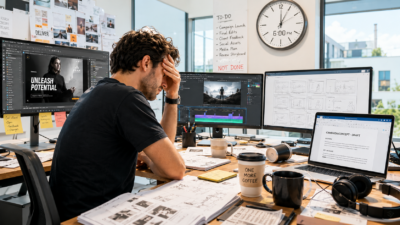
What we proudly call “multitasking” in creative teams is actually just rapid, violent focus-fracturing. It is the systematic destruction of the deep focus required to make great work. And if you are wondering why your team seems perpetually exhausted while deadlines continue to slide, the culprit isn’t their work ethic, it is the operational environment you’ve built for them.
The Boiling Frog of the Modern Stack
No creative director or agency founder wakes up in the morning and decides to build a chaotic, fragmented workspace. It happens slowly, almost unnoticeably, over years of minor, logical adjustments.
This is the classic ‘Boiling Frog Theory’ of agency operations.
If you threw a talented designer or motion artist into a boiling pot of fourteen different disconnected tools on their very first day, they would immediately jump out. They would tell you that the workflow is unmanageable, that finding files is a scavenger hunt, and that they cannot possibly create beautiful work under those conditions.
But that is not how it happens. Instead, the water starts comfortable and lukewarm:
- The Lukewarm Start: You hire a new designer. They start in comfortable water. They open Figma or Adobe, receive a clear brief via email, and get to work. The environment is quiet, simple, and focused.
- Degree 1 (Warm): You add Slack to “help the team collaborate faster” and cut down on internal emails. It feels like a massive win. The temperature rises one degree.
- Degree 2 (Toasty): You grow slightly, so you introduce a project tracker like ClickUp or Asana so managers can track tasks and milestones. Another degree.
- Degree 3 (Hot): You start delivering high volumes of video and rich media, so you sign up for a specialized review tool like Frame.io to collect client markups. Another degree.
- Degree 4 (Very Hot): You need a centralized place to share high-resolution templates and raw assets, so you spin up a shared Dropbox or Google Drive. Another degree.
Each individual decision is completely logical. Each tool is chosen to solve a real, isolated problem. But together, they raise the temperature of your workspace to a slow boil.
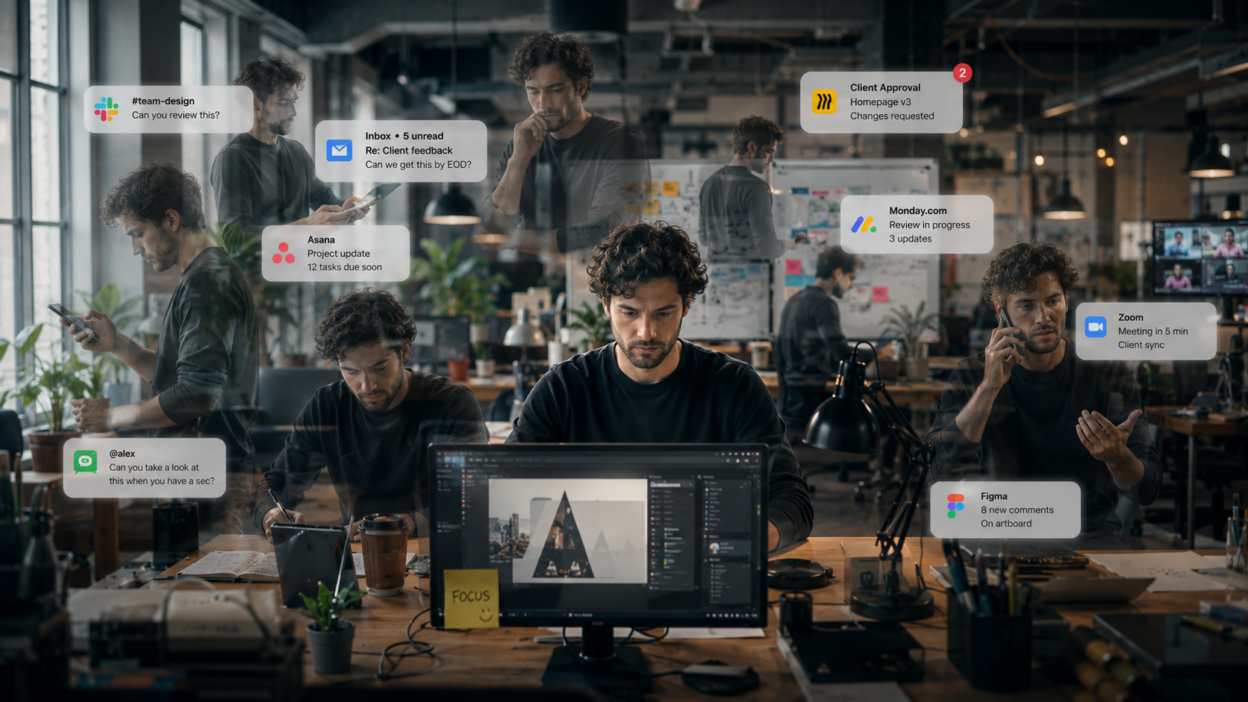
The creative is suddenly jumping across 14 tabs, tracking four different notification streams, and hunting down links. Because the complexity was added so gradually, nobody realizes the water is boiling. Instead, when the team starts missing details or burning out, we blame their “time management” or tell them they need to “prioritize better.”
But the truth is, their focus has been cooked alive.
The Anatomy of a Fractured Hour
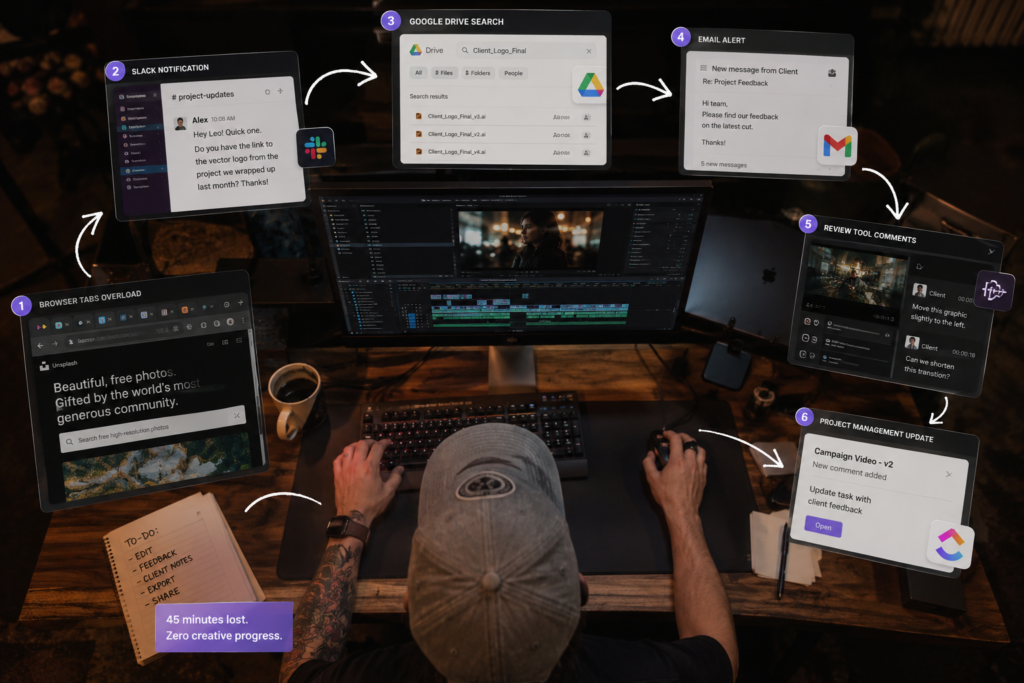
To understand what this looks like in the wild, let’s look past the high-level operational terms and sit next to a motion designer, let’s call him Leo, at his desk for a single hour on a Thursday morning.
10:00 AM – The Flow State Begins: Leo opens Adobe Premiere. He is working on a high-stakes, 30-second campaign edit. He is deep in “the zone”, that beautiful, immersive state of Deep Work where hours feel like minutes. His brain is holding a massive amount of spatial and rhythmic variables: the timing of the transition, the audio waveforms, and the visual balance of the frames.
10:08 AM – The Slack Distraction: A red notification dot appears on Leo’s Slack icon. An account executive sends a “quick ping”: “Hey Leo! Quick one. Do you have the link to the vector logo from the project we wrapped up last month? The client is asking for it.”
10:09 AM – The Digital Commute: Leo minimizes Premiere. He opens Chrome. He navigates to Google Drive, types in “Client_Logo_Final,” and sees twelve different search results. He opens three of them to make sure he isn’t sending the wrong draft. He copies the link, jumps back to Slack, pastes it, and sends it.
10:16 AM – The Attempted Return Leo closes Chrome and re-opens Premiere. He stares at the timeline. Where was I? What was the visual rhythm I was building? His brain has to unload the rules of file-searching and reload the rules of visual pacing.
10:22 AM – The Feedback Interruption An email alert flashes in the corner of his screen. A client has left three new comments on a completely different project inside their video review app. None of these comments are linked to an active project task, so Leo has to go read them.
10:29 AM – The Manual Match Leo opens the review tool. He reads the feedback: “Move this graphic slightly to the left at 0:12.” He realizes he has to keep track of this change. He opens the agency’s project tracker, hunts down the specific task card, and manually types: “Client requested logo adjustment at 0:12. Starting on this now.”
10:45 AM – The Cognitive Drain Leo tries to get back to his original timeline. But his mind is cluttered. He is thinking about the old logo search, the new client comments, and the status updates he just typed. The creative spark is dead. He has spent 45 minutes tool-hopping, and his actual creative progress for the hour is zero.
The Invisible Cost of the Cognitive Lock
Leo didn’t spend 45 minutes being “lazy.” He worked hard. He was responsive, organized, and helpful. Yet, his creative output was completely stalled because his brain was forced into a series of silent, cognitive collisions.
For years, we believed that returning to a task after a distraction was hard simply because our memories of the work naturally “decayed”, like a sandcastle slowly washing away while we were looking elsewhere.
But a landmark 2023 study by Patricia Hirsch and Iring Koch, published in Memory & Cognition, proved that the reality is much more severe.
When you get interrupted by a secondary task (like that “quick” Slack message), your brain’s executive control does not passively drift. Instead, to help you focus on the interruption, your brain actively suppresses and inhibits the memory goals of your primary task.
In other words, your brain physically locks you out of your design canvas to force you to pay attention to the Slack chat.
When you return to your original work, you aren’t just picking up where you left off. Your brain has to exert massive cognitive energy to “override” its own self-imposed lock. It is a literal mental restart.
When your team switches tools 15 to 20 times an hour, they are trying to design while constantly triggering their brain’s cognitive lock. By the time 2:00 PM rolls around, their mental battery is completely drained. This is where workspace clutter turns directly into creative burnout. Your team isn’t exhausted because they are designing too much; they are exhausted because they are spent on the cognitive effort of constantly breaking their own brain’s locks.
Calculate the Real “Chaos Tax” on Your Team
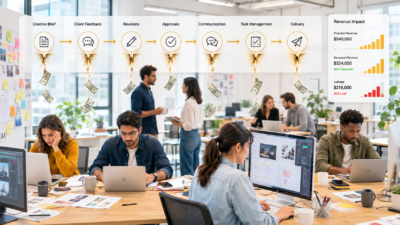
If you have a team of 10 creatives, and each person is forced to jump between project managers, review tools, and chat threads just 5 times a day, you are quietly bleeding over 100 billable hours every single week to attention residue and context switching.
You are paying for 100% of your team’s creative capacity, but you are only receiving a fraction of their focus.
Calculate Your Agency’s Custom “Chaos Tax” Now
The Financial Reality of “Ghost Capacity”
From a business perspective, this isn’t just an internal culture issue, it is a massive revenue leak. We call this lost time Ghost Capacity.
These are the billable hours you pay for in your monthly payroll, but never actually get to sell to your clients because they evaporate into the “digital commute.”
Studies on workplace multitasking from the American Psychological Association show that shifting between tasks can cause a staggering 40% drop in overall productivity. For an agency founder or creative director, that 40% loss is your entire profit margin. You are paying top-market rates for Senior Art Directors and Lead Editors, but a huge portion of their day is spent performing “digital chores” – downloading files, copy-pasting links, and translating feedback across various platforms.
The best creative talent doesn’t leave agencies because the visual briefs are too challenging or the design expectations are too high. They leave because the administrative weight of the work is exhausting. They want to protect their focus, and they will eventually migrate to workspaces that respect their cognitive energy.
The Solution: Transitioning to Single-Flow
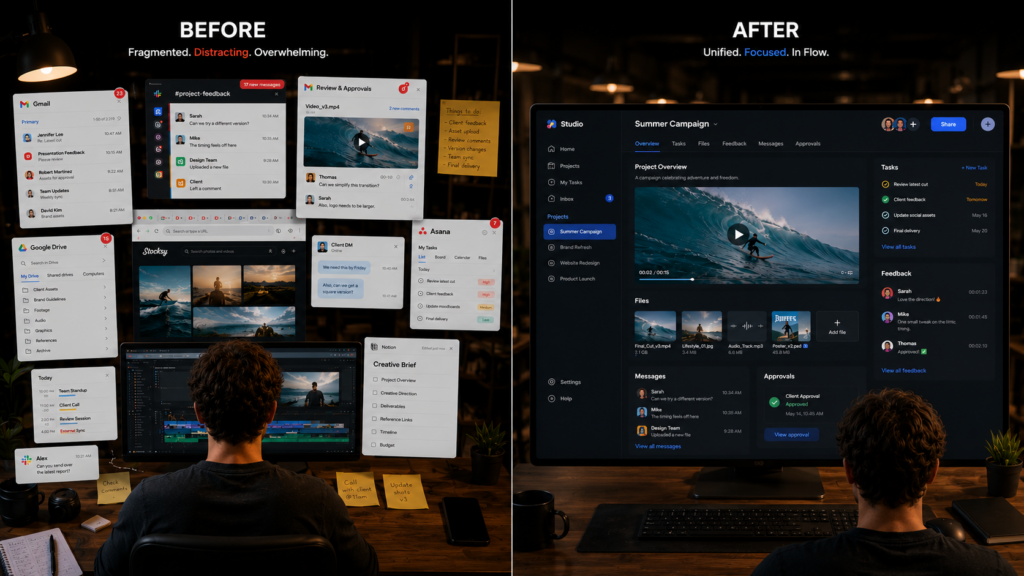
You cannot eliminate client feedback. You cannot stop team collaboration. Those are the structural realities of the creative industry.
But you can stop building an infrastructure that forces your team to act as manual data translators between your tools.
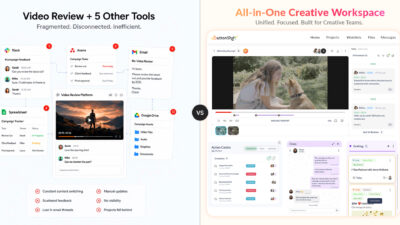
To reclaim your agency’s margins and protect your team’s focus, you have to collapse the physical distance of the digital commute. You must transition your studio from a fragmented workspace to a Unified Creative OS.
True consolidation means adopting an environment where:
- The Task is physically bound to The Asset.
- The Conversation happens directly on The File.
- The Feedback is a direct driver of The Project Status.
When a client pins a comment to a specific frame of a video or a section of a PDF, that comment shouldn’t live on an isolated review island. It should natively update the project timeline itself.
When your team doesn’t have to leave their primary window to find out what needs to be changed, the “reboot time” of their brains drops to zero. They can single-task their craft, stay in a state of deep flow, and let the system handle the administrative tracking in the background.
The Bottom Line
The next time you see a designer staring blankly at their screen, or a project that should have been a “quick win” somehow bleeds into three extra days, don’t ask if your team is distracted.
Go look at their browser. Stop punishing your team for the friction created by your stack. It’s time to clean up the workspace, eliminate the “Chaos Tax,” and give your creatives their focus back.
The context-switching tax is real, it’s measurable, and it’s avoidable. ButtonShift is built to eliminate it, giving your team a single creative home where the work and feedback lives, and the focus stays intact.